Hoardless
A native macOS disk cleaner that accounts for every byte. It shows exactly where the space went, answers questions about it on device, and previews the paths and sizes of a cleanup before anything moves. Out now, one-time purchase.
 hoardless
What it is
Hoardless is a disk space analyzer and cleaner for the Mac. It indexes the whole machine once, then answers the question every cleaner skips: where did the space actually go, and what exactly am I about to delete?
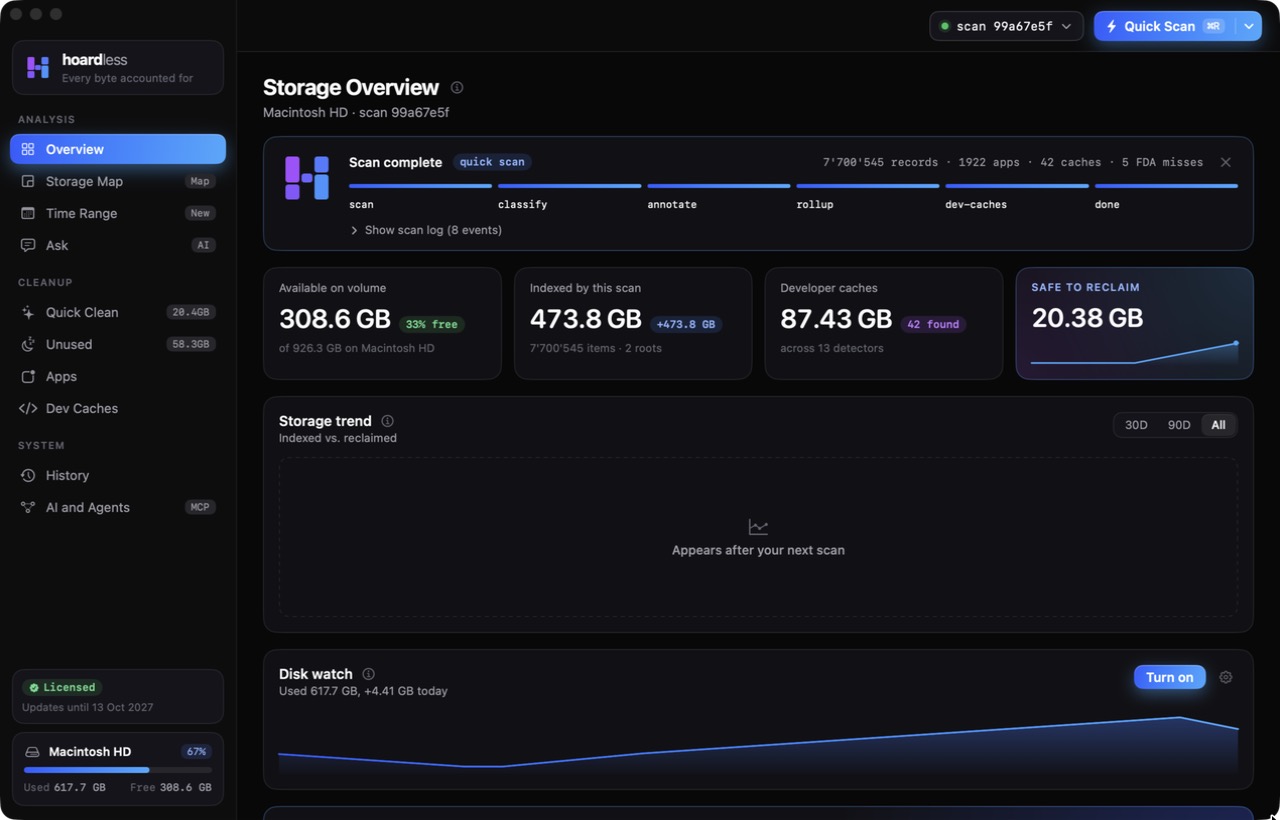
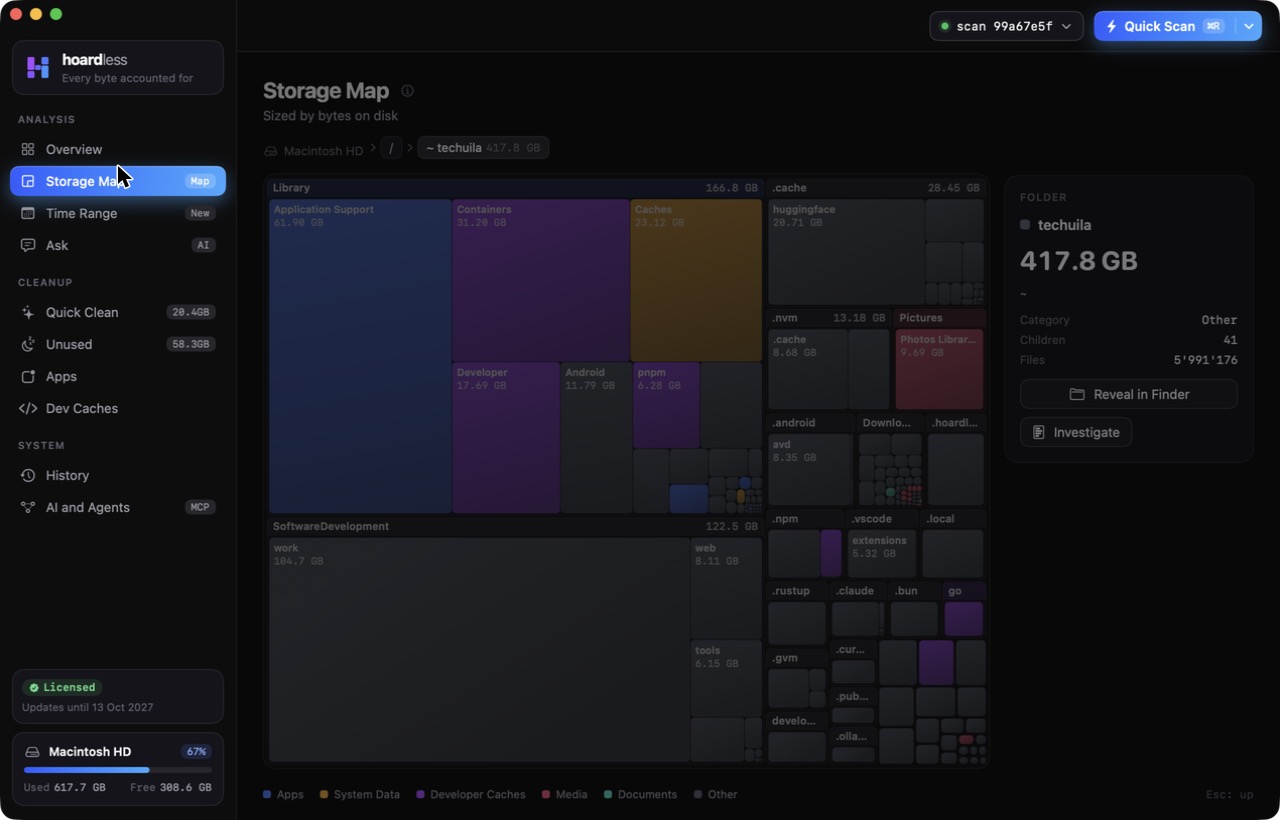
The Overview is the front page: free space, what the scan indexed, developer cache totals and what is safe to reclaim, over a storage trend chart of indexed against reclaimed bytes. Disk watch lives on that chart too: you set the warning thresholds right on it, and the app tells you when free space crosses one. The Storage Map sizes every folder by bytes on disk, from the whole disk down to one folder, and Investigate explains why a folder is as big as it is: the largest things inside it, the file types, how old they are, how much it grew since the last scan, and how much of it is reclaimable. Time Range lets you drag across a chart to split files by when they arrived, with 30 day, 90 day, six month and one year presets, and undated items counted on their own.
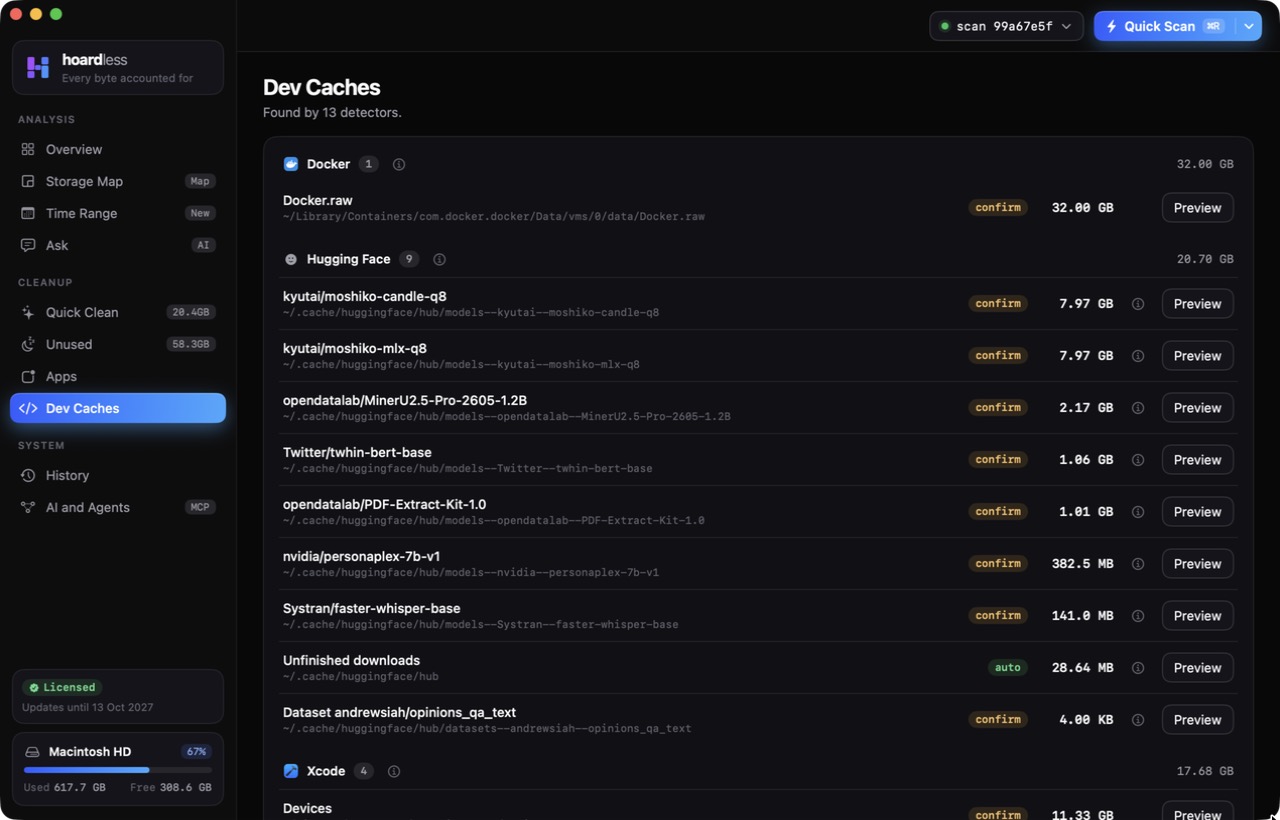
Unused finds files, apps, simulators, Docker images, iOS backups and stale git worktrees you have not touched. An item is flagged only when two signals agree, using deterministic rules rather than a model’s guess. In 1.4 the page was redesigned around an overview of each kind, with select all and a high-confidence selection, and a single Review and reclaim step at the end. Dev Caches covers Xcode, Docker, Node, Homebrew, Cargo, Go, Gradle and Maven, plus the leftovers of Claude Code, Codex, Cursor, Ollama, Hugging Face and LM Studio, and it uses each tool’s own removal command where one exists.
Ask, which shipped as Hoardless AI in 1.1, lets you ask your disk questions in plain language. Answers are generated on the Mac with Apple Intelligence, the model only sees names, sizes and dates, and it never decides what gets deleted.
Every cleanup is a plan you read first. Items are sorted into what a tool will rebuild on its own, what you tick item by item, and what spells out the loss and asks again. Things go to the Trash by default and land in an undo log, and since 1.1 a reclaim can be undone from the app. Permanent delete is opt in.
Why I’m building it
I ran out of disk space on my own Mac often enough that it became a tax on the work. The existing cleaners all asked me to trust a progress bar and a number, and I did not want to trust anything with delete permissions that could not first show me the paths. Anti-CleanMyMac by design is the short version: scanning is the product, the cleanup is just the part you can audit.
The other reason is that it is the first thing I have built where an AI agent is a first-class user. I live in Claude Code and Codex all day, and those agents are the ones filling the disk with build output, model weights and abandoned worktrees. It felt backwards for them to have no safe way to see it.
Architecture
It is a native Swift 6 and SwiftUI app built entirely with Swift Package Manager, no Xcode project, so several people (and agents) can work on the repo in parallel without fighting a generated project file. The scan engine, the index, the Unused engine, the action engine and licensing live in a core library that the app, a CLI and an MCP server all share.
The index is a local SQLite database at ~/.hoardless/index.sqlite. No file contents leave the Mac, and the only thing
that ever goes out is a license activation: a key and a one-way machine hash, checked by a small Cloudflare Worker.
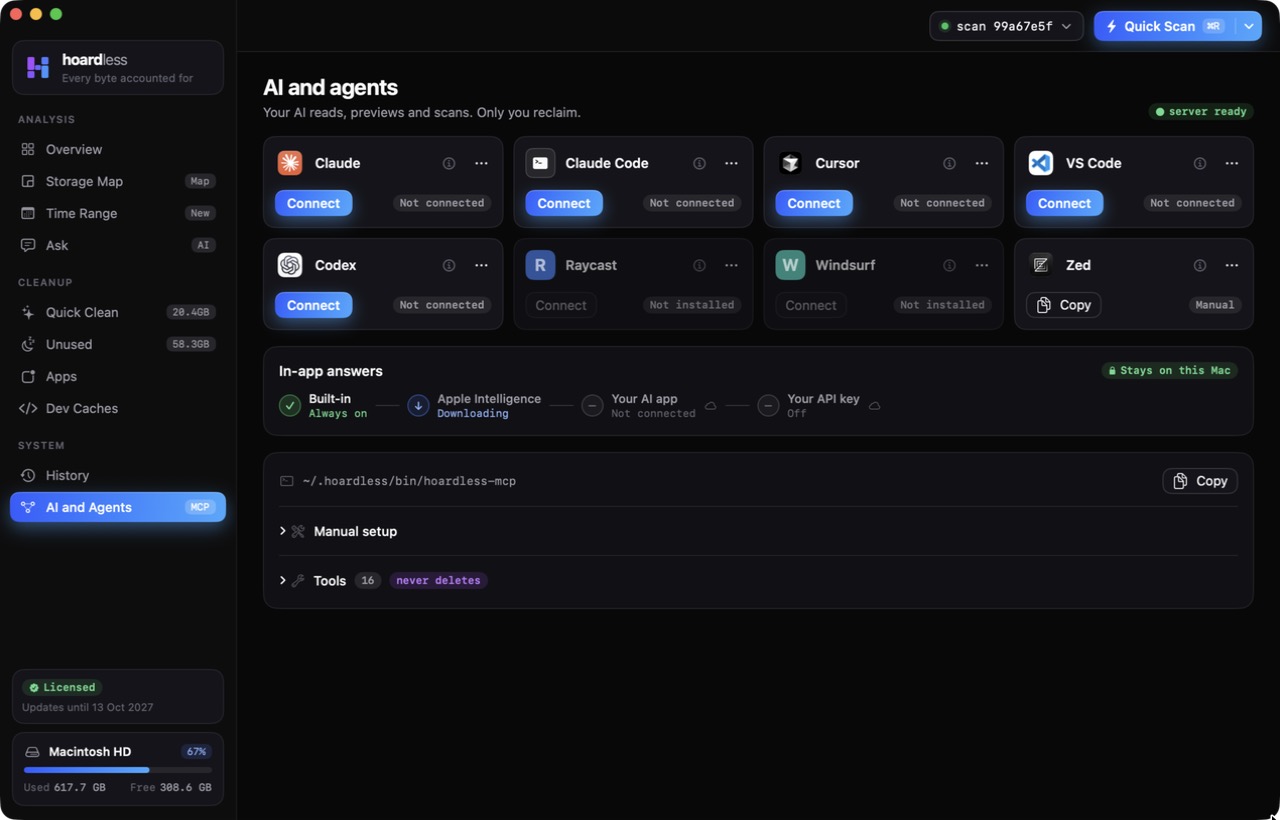
hoardless-mcp is a stdio MCP server that forwards to the running app over a local socket, launching it hidden if it
needs to, and falling back to read-only access on the index when the app is not reachable. It exposes sixteen tools: scans,
storage overviews, per-app costs, dev caches, unused items, date-range breakdowns, growth timelines, disk watch status,
folder investigations and reclaim previews, plus seven prompts such as a cleanup report and a reclaim plan. It can start a
scan. It can never delete. The app’s AI Connect pane writes the config for Claude Code, Claude, Cursor, Codex, VS Code,
Windsurf, Zed and Raycast.
Distribution is direct: Developer ID signed, notarized, shipped as a DMG on Cloudflare R2, with Sparkle handling updates. It is not on the Mac App Store, because a sandboxed app cannot see app data sprawl, Mail, Messages or iOS backups, and cannot run a tool’s own cache cleanup command.
Tech stack
- App: Swift 6, SwiftUI, macOS 14+, universal build, Swift Package Manager only
- Core: scan engine, SQLite index, classification and rollups, Unused engine with deterministic detectors, action engine with an undo log
- AI: Ask, on-device answers through Apple Intelligence (macOS 26, Apple silicon), metadata only
- Agents:
hoardless-mcpstdio server, 16 read and preview tools, 7 prompts, local socket to the app - CLI:
hoardless-scan, sharing the same index as the app - Licensing: Cloudflare Worker, one-time license for two Macs, 14-day full trial
- Release: Developer ID, Apple notarization, DMG on Cloudflare R2, Sparkle 2 self-updates
Where it stands
Hoardless is out. It is a direct download with a 14-day full trial, and a one-time license covers two Macs with a year of updates; the launch price is $29 until November 30, then $39. After the trial, scanning, the Overview totals, Apps, Trash, History and disk watch stay free. Only the Storage Map, Time Range, Ask, the agent tools, Unused, Dev Caches and actually reclaiming space need a license.
Since launch it has moved quickly: 1.1 brought Undo and Ask, the Overview was rebuilt around the trend chart and disk watch thresholds, and 1.4 redesigned Unused. The site now carries a guides section of twenty plain answers to Mac storage questions, from what System Data is to clearing Xcode DerivedData, Docker.raw and old simulators.